Reports gathers your account's metrics: how many conversations arrive, how long they take to answer and resolve, how each agent, inbox, team and label performs, what your customers think and, if you have telephony, how calls are going. Open it from the chart icon in the side rail. Reports are for administrators.
Overview
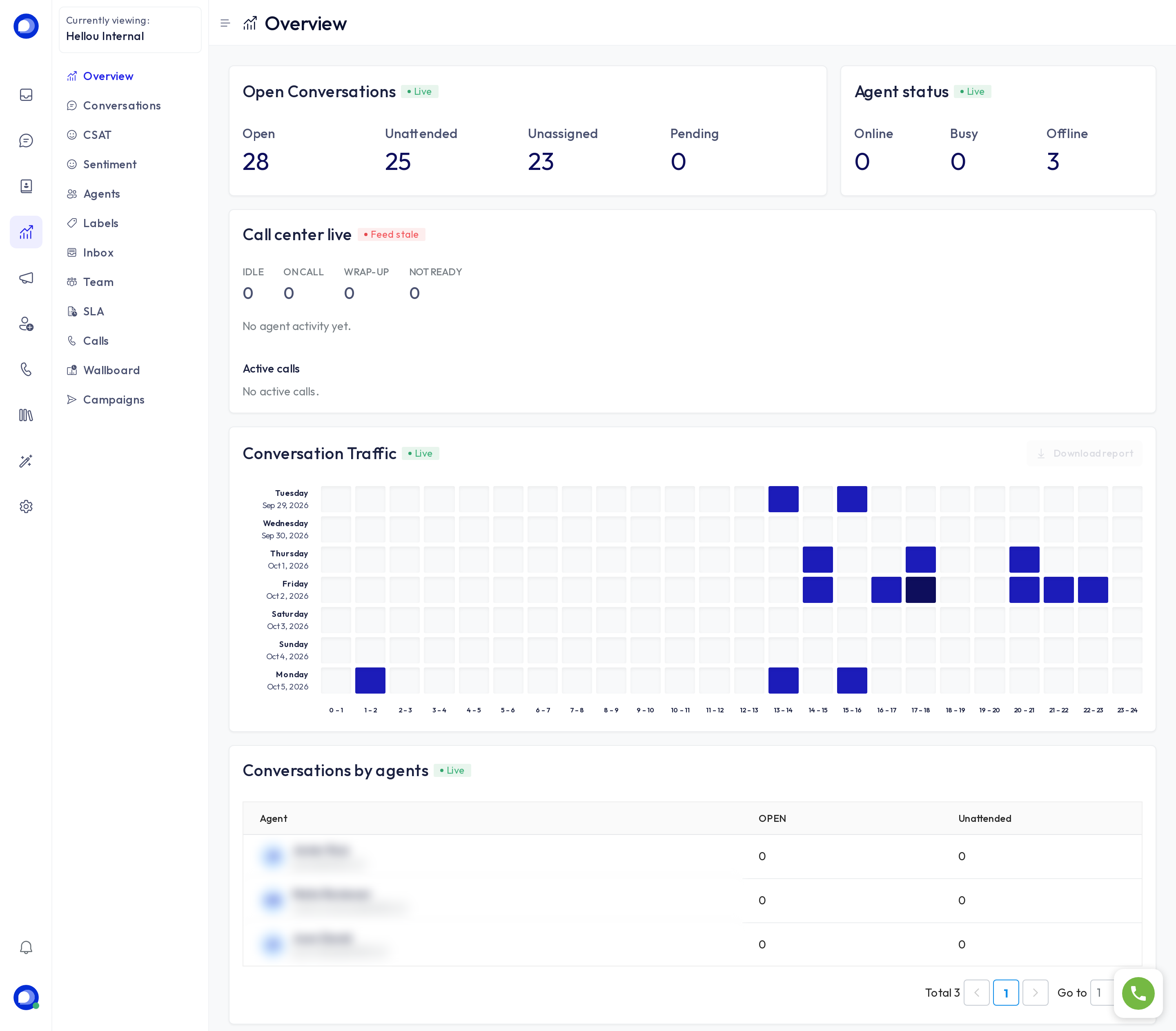
The landing page shows the picture right now:
- Open conversations: how many are open, how many unattended (the customer is waiting), how many unassigned and how many pending.
- Agent status: how many agents are online, busy or offline.
- Live call center (telephony only): agents available, on a call or wrapping up, and the active calls.
- Conversation traffic: a heat map of the hours and days you get written to most, to size your shifts.
- Conversations by agents: how many each one has open and unattended.
Conversations
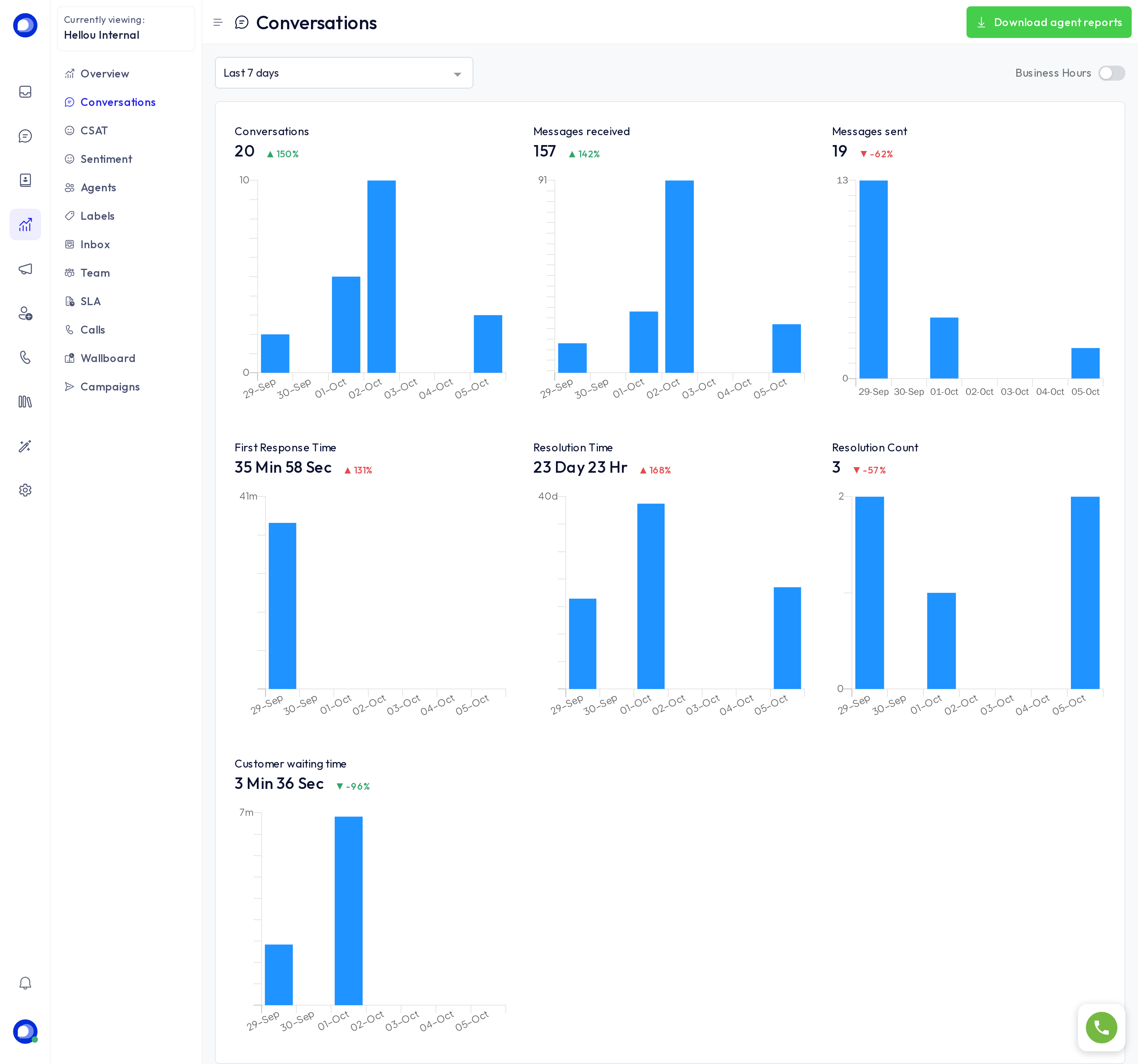
Pick a period (or exact dates) and you get, each with its day-by-day chart: Conversations created, Incoming and outgoing messages, First response time, Resolution time, Resolution count and Customer waiting time. The Business hours switch counts time only inside your working hours, so a night does not count as a delay. Download generates the CSV.
Agents, Labels, Inbox and Team
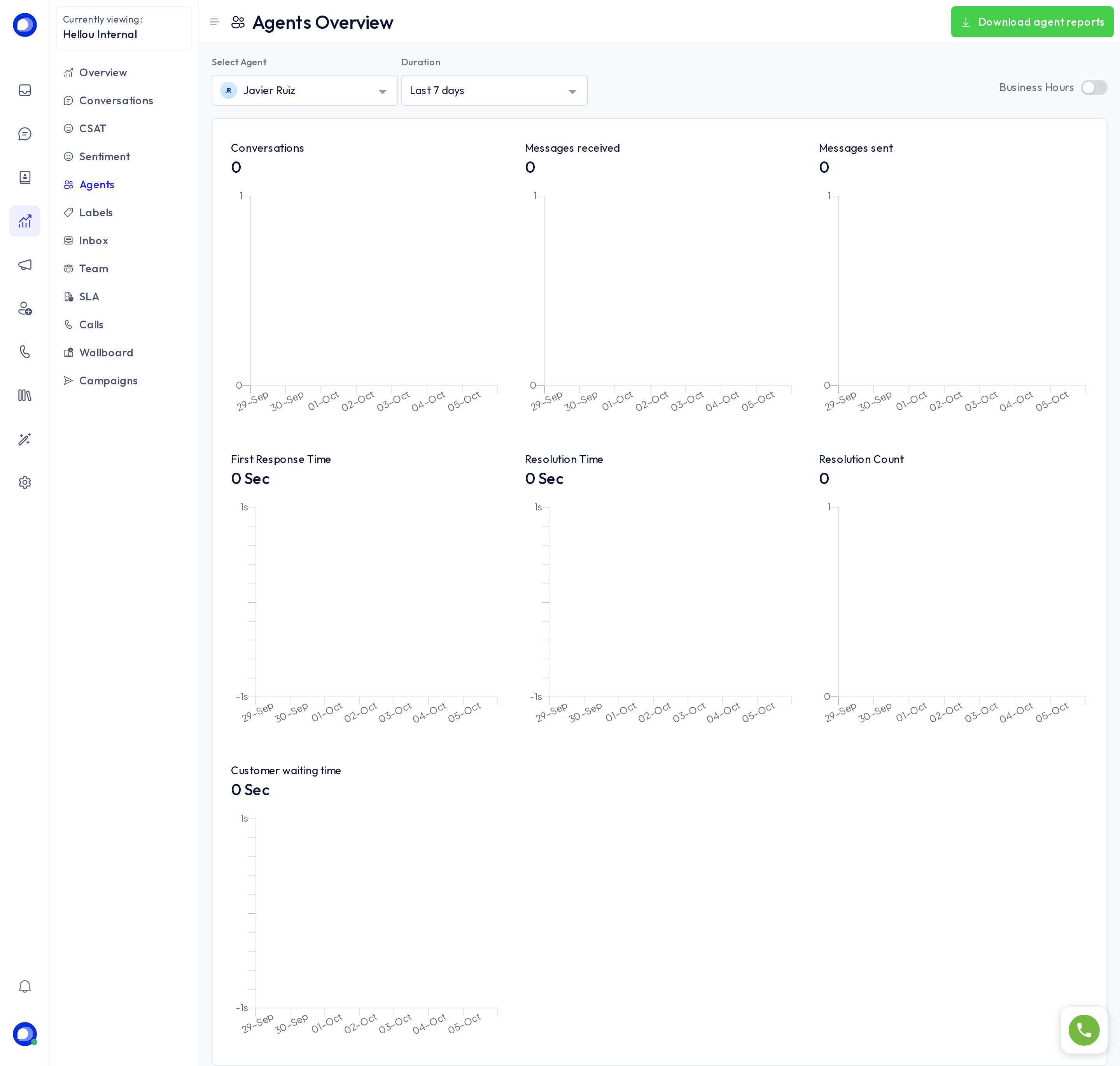
These are the same report, narrowed: pick an agent, a label, an inbox or a team and you see its metrics over the period. Use them to compare channels, spot a contact reason that is growing or check one person's load. The button at the top right downloads the full report for every agent.
Satisfaction surveys (CSAT)
The ratings your customers leave when a conversation is resolved: average score, how many answered and their comments, filterable by agent, inbox or team. The survey is turned on per inbox.
Sentiment
How your customers feel, read automatically from their messages. It has its own article.
SLA
If your account defines SLAs (maximum first-response, next-response and resolution times), this shows how many conversations met them and which missed.
Calls and Live board
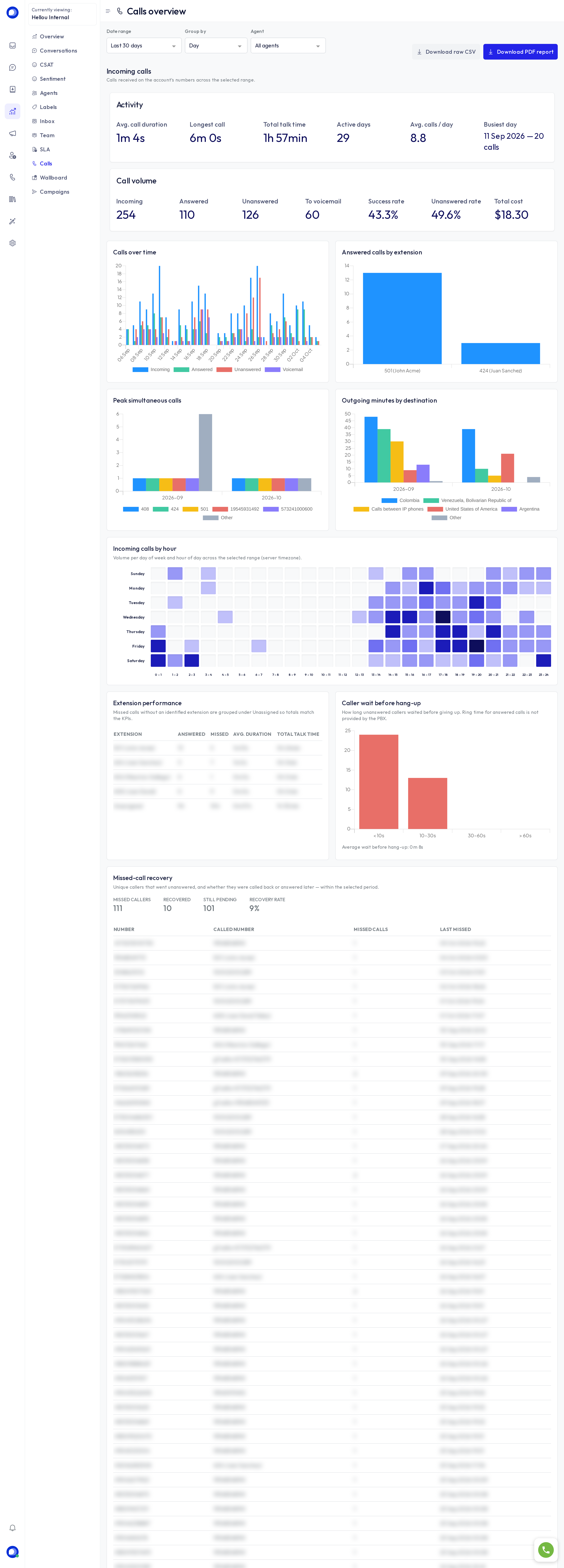
With telephony on, Calls summarises the period's inbound and outbound calls (answered, missed, average duration, per agent) and Live board is the call-center wallboard. More in Calls: history and live board.
Campaigns
The outcome of your WhatsApp campaigns: delivered, read, replied and failed per campaign.
Ask LIA
Everything you see here LIA can also answer in a sentence: "How many conversations did we have last week and how fast did we answer?" or "Which agent resolved the most this week?".