Your AI agent can use outside services while it chats with a customer: look them up in your CRM, check their orders or tickets, offer appointment times, send a payment link or check a table of yours. The AI agent only ever sees the customer it is talking to. It looks them up by the email or phone the conversation already has, never by details someone types into the chat.
| Kind | Services |
|---|---|
| CRM | HubSpot, Clientify, Pipedrive, GoHighLevel |
| Scheduling | Calendly, Cal.com (GoHighLevel books too) |
| Store | Shopify, WooCommerce |
| Help desk | Zendesk, Freshdesk |
| Payments | Stripe, Mercado Pago |
| Invoicing | Alegra |
| Data | Airtable (one table: price list, stock, branches…) |
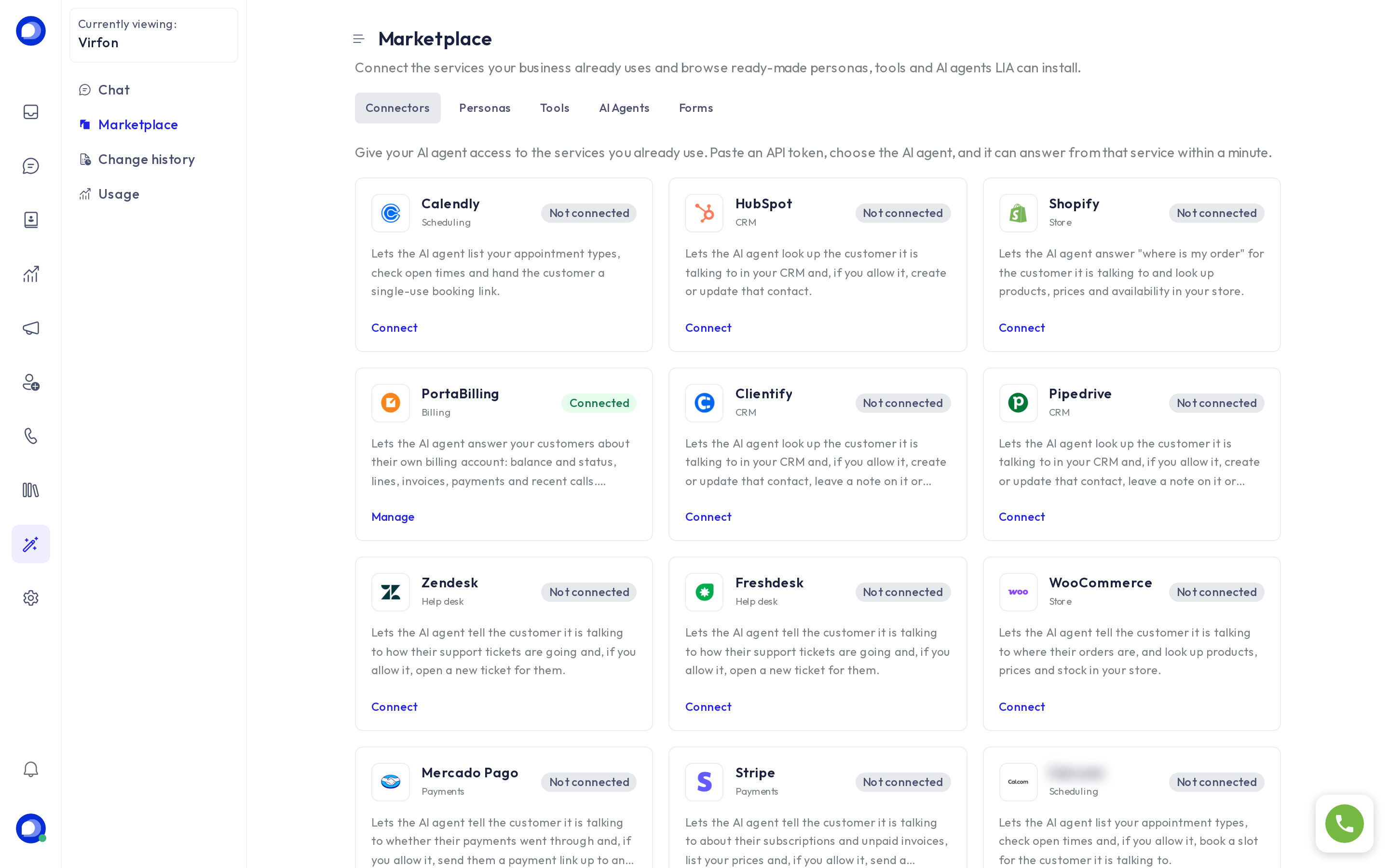
How to connect one
- Open LIA → Marketplace → Connectors.
- Click the service's card.
- Tick what the AI agent may do. Anything that writes to the service (creating contacts, booking, payment links) starts off. Turn it on only if you want the AI agent to do it on its own.
- Choose which AI agents use it. With a single AI agent there is nothing to choose.
- Paste the service's token. Each card's help text says where to get it and which permissions to give it. Some services ask for one more detail: the Zendesk subdomain, your WooCommerce store address, the GoHighLevel Location ID…
- Press Connect. The card shows Connected once every AI agent has it.
The token is stored encrypted and never shown again. To change it, open the card and replace it. To remove it, press Disconnect.
Good practice
- Create the token with the least permissions it needs (for example a Stripe restricted key).
- Mercado Pago: set the largest payment link amount. The AI agent cannot go above it.
- Airtable: the AI agent can read the whole table you pick, so choose one your customers may see.
- Alegra looks customers up by tax ID (cédula, NIT…). The AI agent only answers when that record's email or phone matches the conversation's.
Questions? Ask LIA: "what can my AI agent do with Shopify?" or "show me how to connect a service".