The knowledge base is the set of FAQs, documents and web pages your AI agent draws its answers from. What is not here the agent does not know and must not invent. It is managed under Settings → Knowledge base; you can also open it from the agent's Knowledge tab.
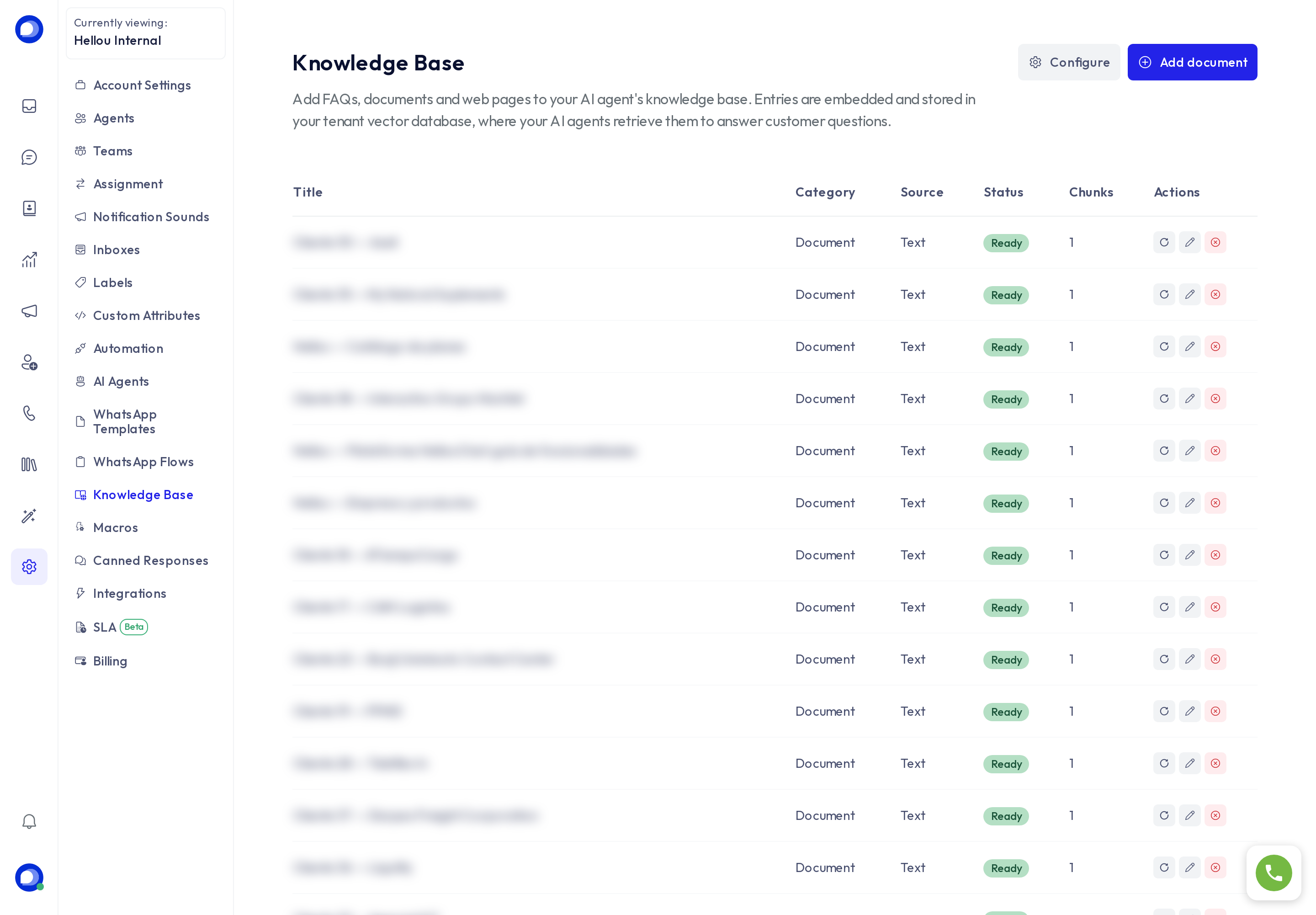
Add a document
Press Add document and choose the Source:
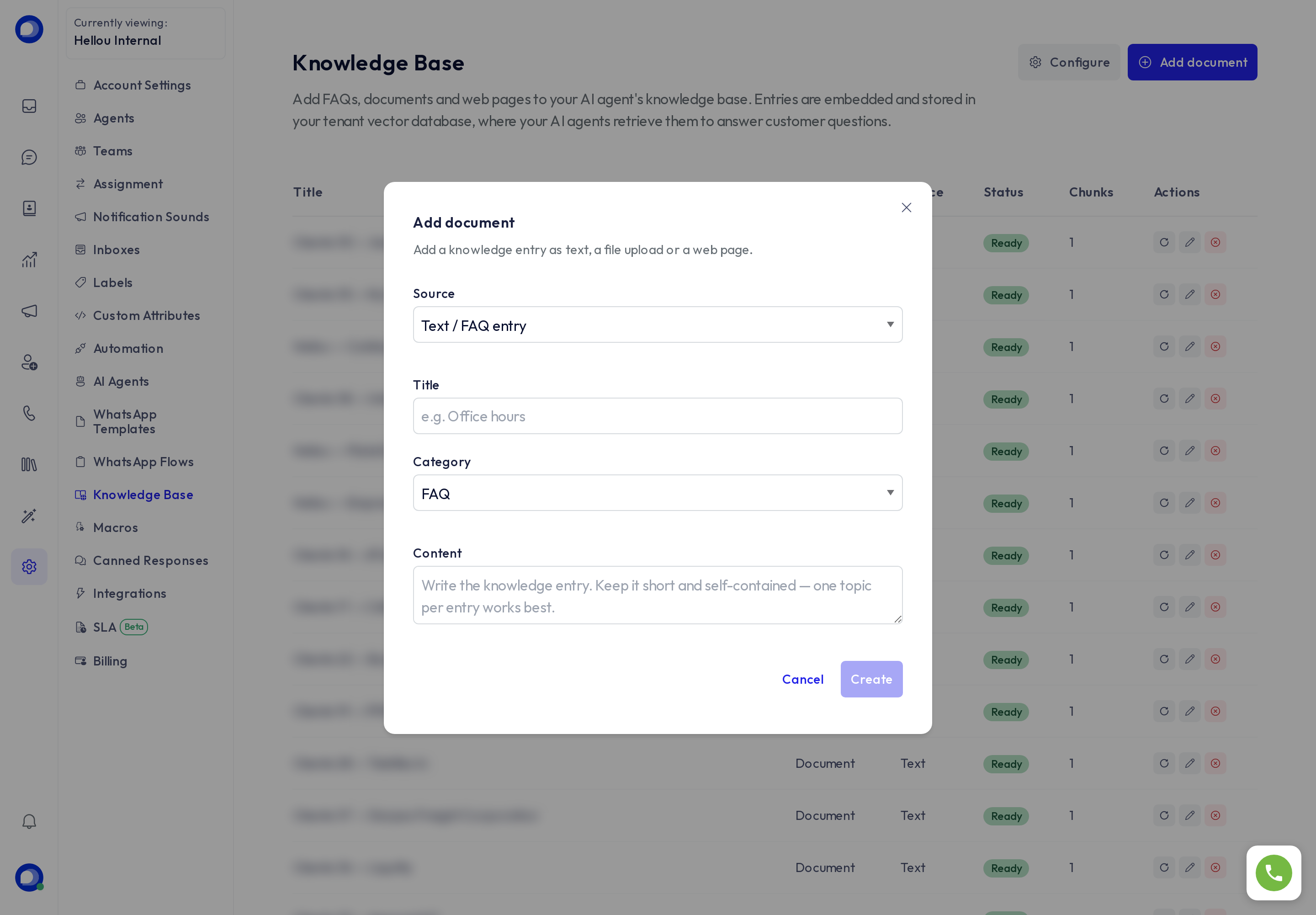
- Text / FAQ: you write the content. One entry per topic works better than a long text mixing several.
- File: upload a PDF or Word file; HellouOne extracts the text and splits it into chunks.
- Web page: paste a URL; HellouOne downloads the page and chunks it.
Fill in the Title, pick the Category (FAQ, document, policy or other) and press Create. The document goes pending → processing → Ready; the Chunks column shows how many pieces it was split into. If something fails, the status says so and the retry icon processes it again.
How the AI agent uses it
- With the Search the knowledge base mode, the agent looks up the most similar chunks for each question and answers from them. This is the mode for large bases.
- With Whole text in the prompt, the agent receives the full documents on every reply. It suits small bases, and lets you pick by title prefix which documents each customer sees.
- Changes apply immediately; nothing needs restarting. Edit with the pencil, delete with the red icon.
Tips for good answers
- Write as you would speak to a customer: question and answer, prices with their currency, hours with their time zone.
- One topic per entry. Separate "Opening hours" and "Returns policy" beat one five-page "FAQ" document.
- Include the words people actually use ("mailbox", "PO box", "Miami address") so the search finds them.
- Check with the agent's Test chat: ask something and see whether it cites what you just uploaded.
Configure
The Configure button shows where your account's vectors are stored. The Hellou team manages it; you do not need to touch it.