A custom attribute is a field of your own on a contact or a conversation: customer number, plan, city, appointment date. You define them under Settings → Custom attributes; they then appear in each conversation's side panel and on each contact's card.
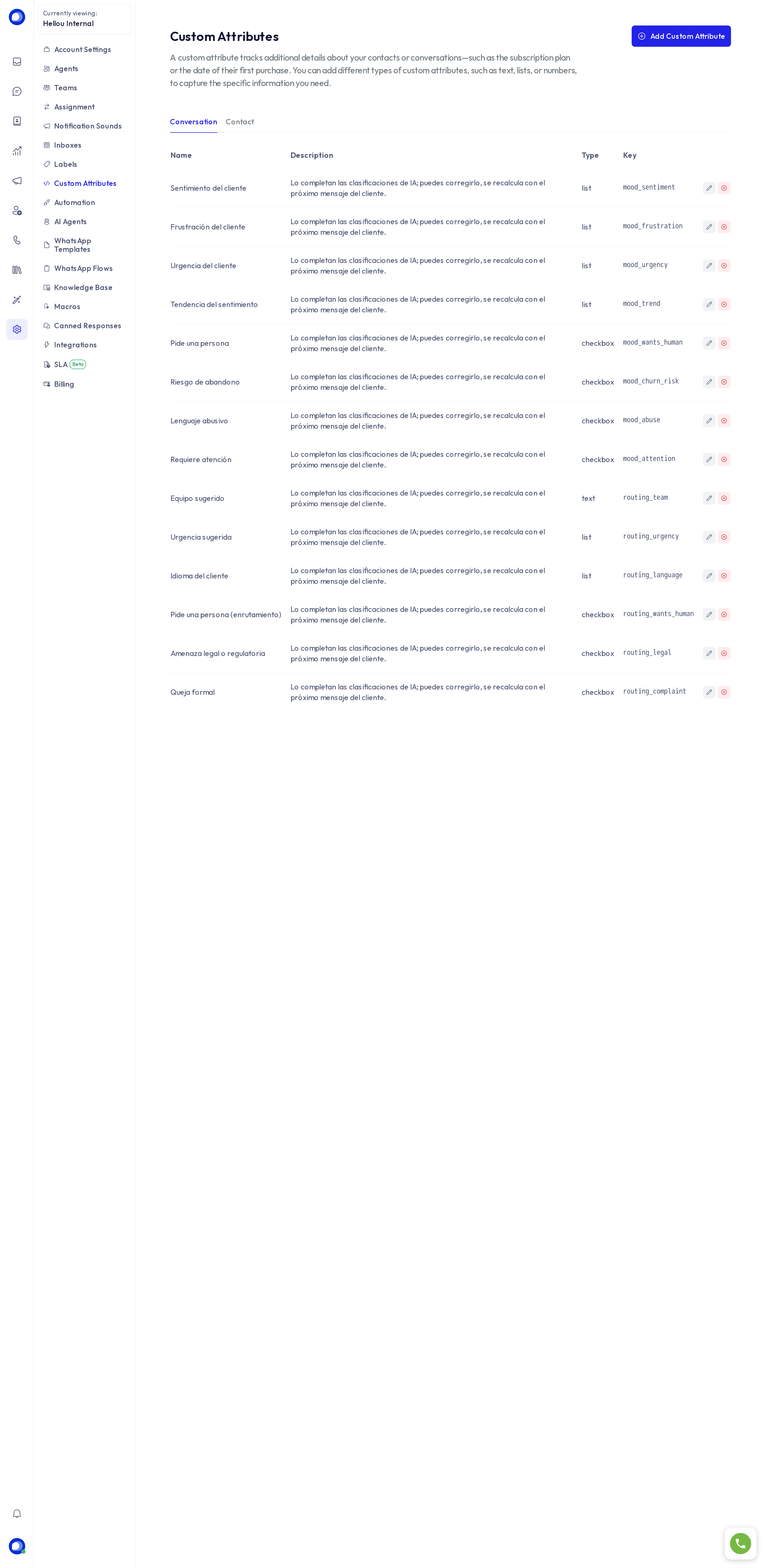
There are two tabs: Conversation (facts about that case) and Contact (facts about the person, carried into every conversation they have).
Create an attribute
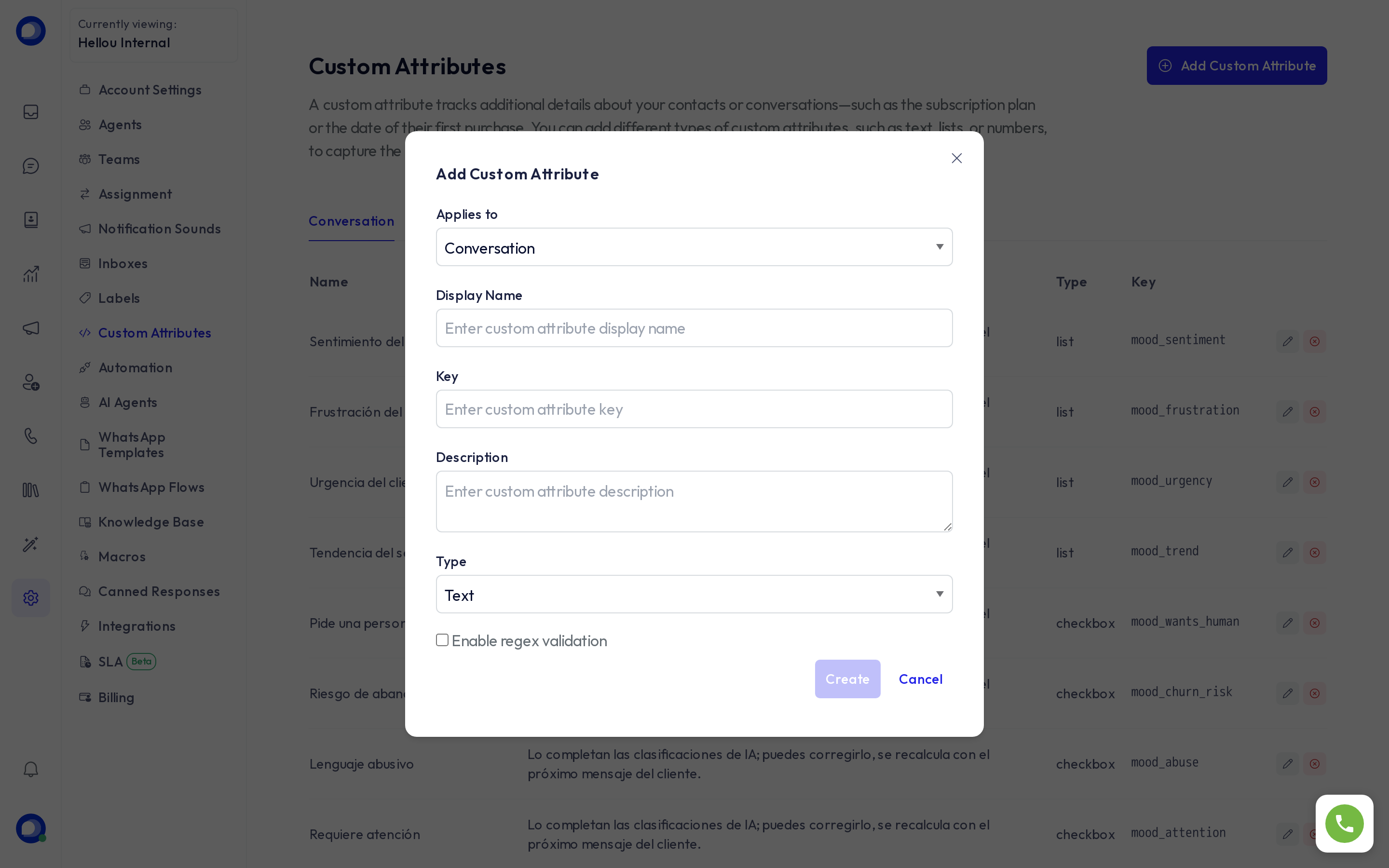
- Applies to: conversation or contact.
- Display name: the label the team sees.
- Key: the technical name, no spaces. It is what the API, automations and AI agents use. It cannot be changed later.
- Description: what it is for.
- Type: text, number, link, date, list (you choose the options) or checkbox.
- Enable regex validation: for text, enforces a format (an ID number, say).
What they are for
- Filters and segments: in Contacts you can filter by any attribute and save the segment, for a WhatsApp campaign for instance.
- Automations: a rule can check an attribute or set its value.
- AI agents: an agent can read the contact's attributes and write them through its tools; it can also behave differently when an attribute is set, such as direct attention or internal staff.
- AI classifications: when on, HellouOne creates conversation attributes such as Customer sentiment or Asks for a person and fills them in by itself. You can correct them by hand; they are recalculated on the next message.
Delete
Deleting the definition removes the value from every card. If you only want to stop using it, keep it and take it out of your forms.