Labels mark what a conversation is about or who a contact is: sale, complaint, vip, hot-lead. They drive filters, reports, and what automations and AI agents act on.
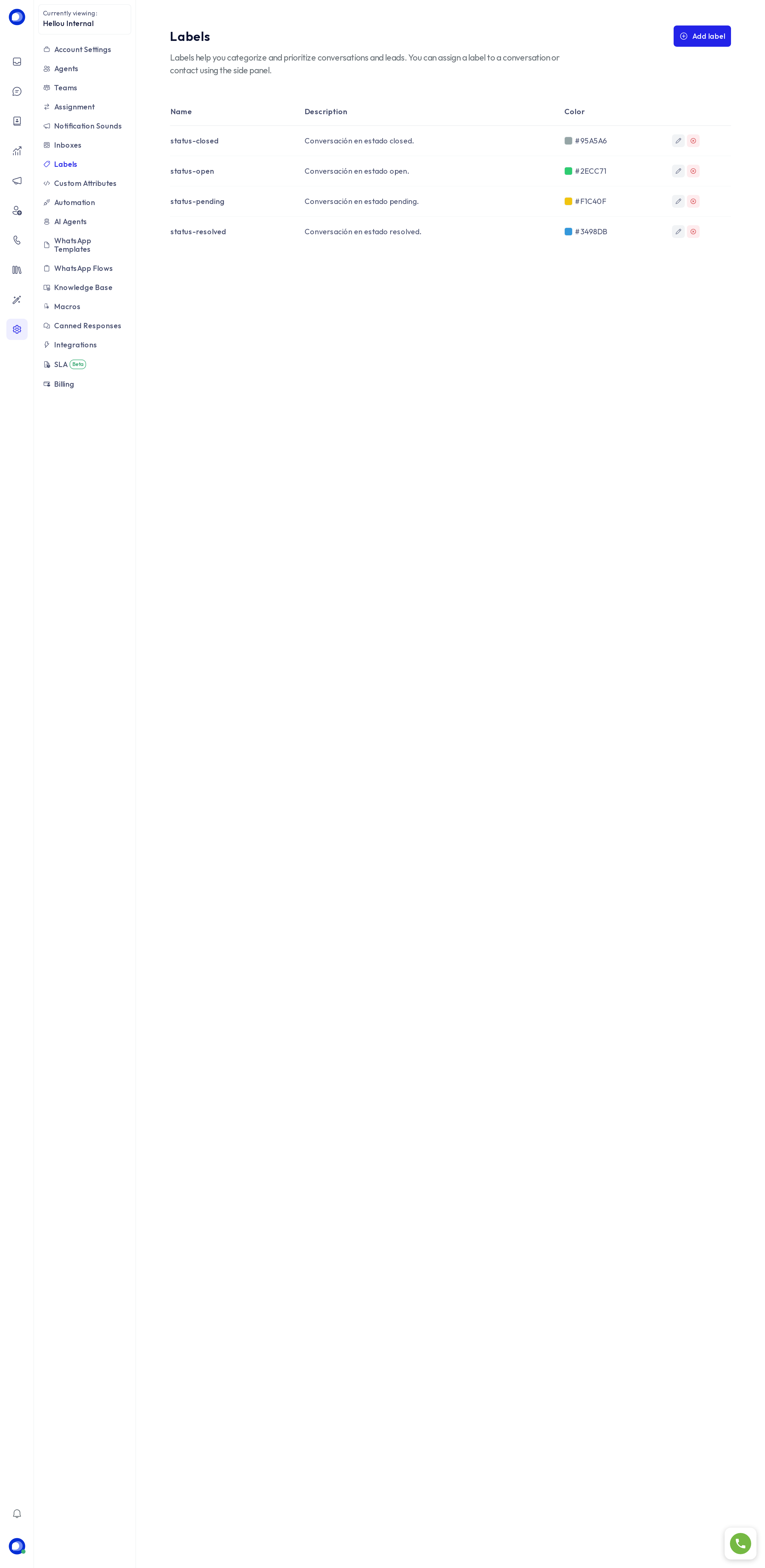
Create a label
Under Settings → Labels, press Add label.
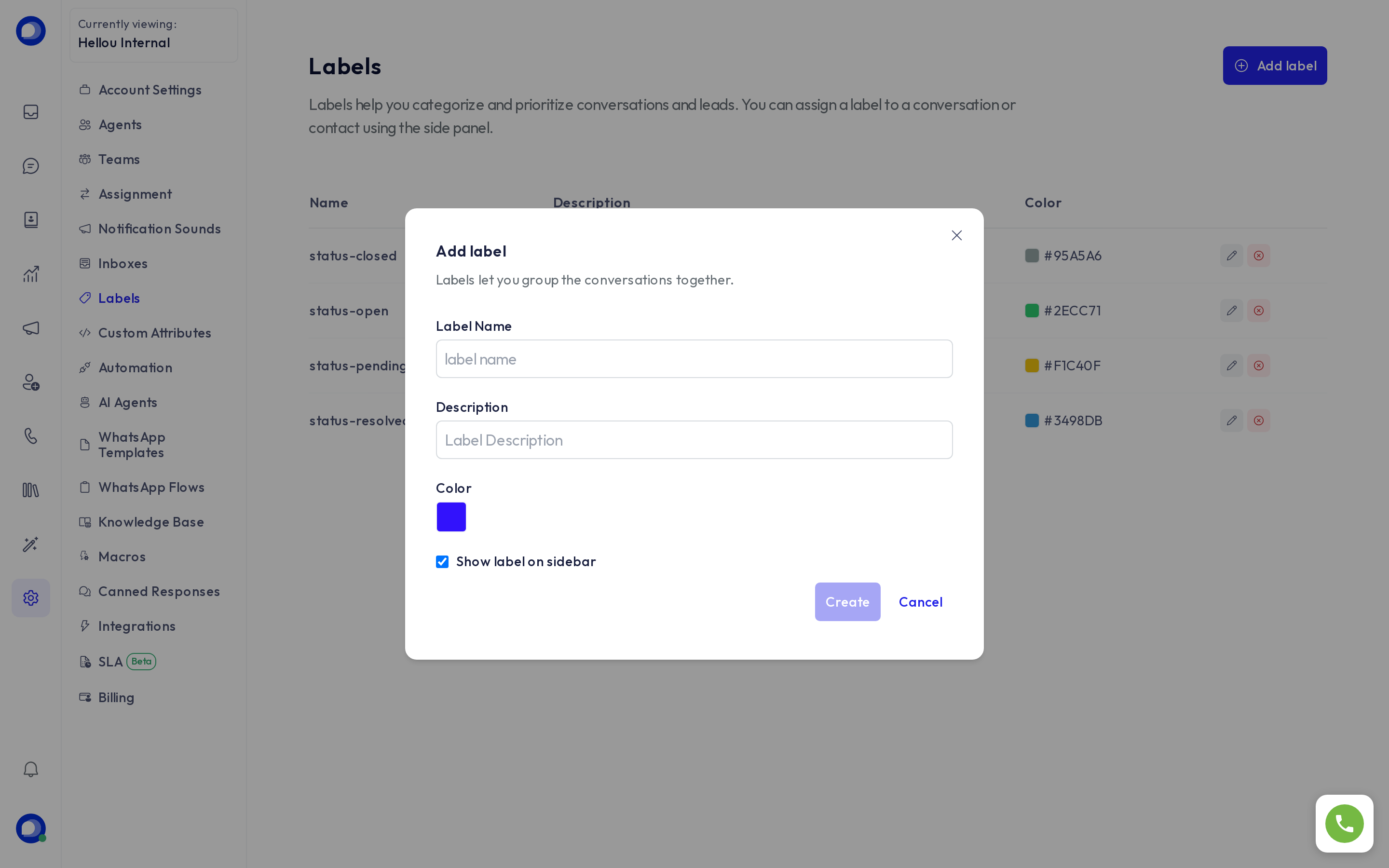
- Name: lowercase, no spaces (use hyphens). It is what you see in filters and in the API.
- Description: so the team knows when to use it.
- Colour: the badge colour on the conversation.
- Show label on sidebar: adds a shortcut in the conversation panel to see only conversations carrying this label.
Use labels
- In a conversation, the side panel has a Conversation labels section; type to search and press to add.
- On a contact, labels are added from their card and work as a filter for their conversations.
- Reports → Labels shows volume and times per label.
- Automations can add or remove labels on an event, and use a label as a condition.
- WhatsApp campaigns pick their audience by labels, and AI lead qualification adds lead-caliente, lead-tibio or lead-frío.
Change or delete
Editing a label changes its name and colour on every conversation that carries it. Deleting it removes it from all of them; the conversations are kept.