Settings → Assignment controls two things that affect the whole team: how much each agent can see and how new conversations are distributed. Only administrators change it.
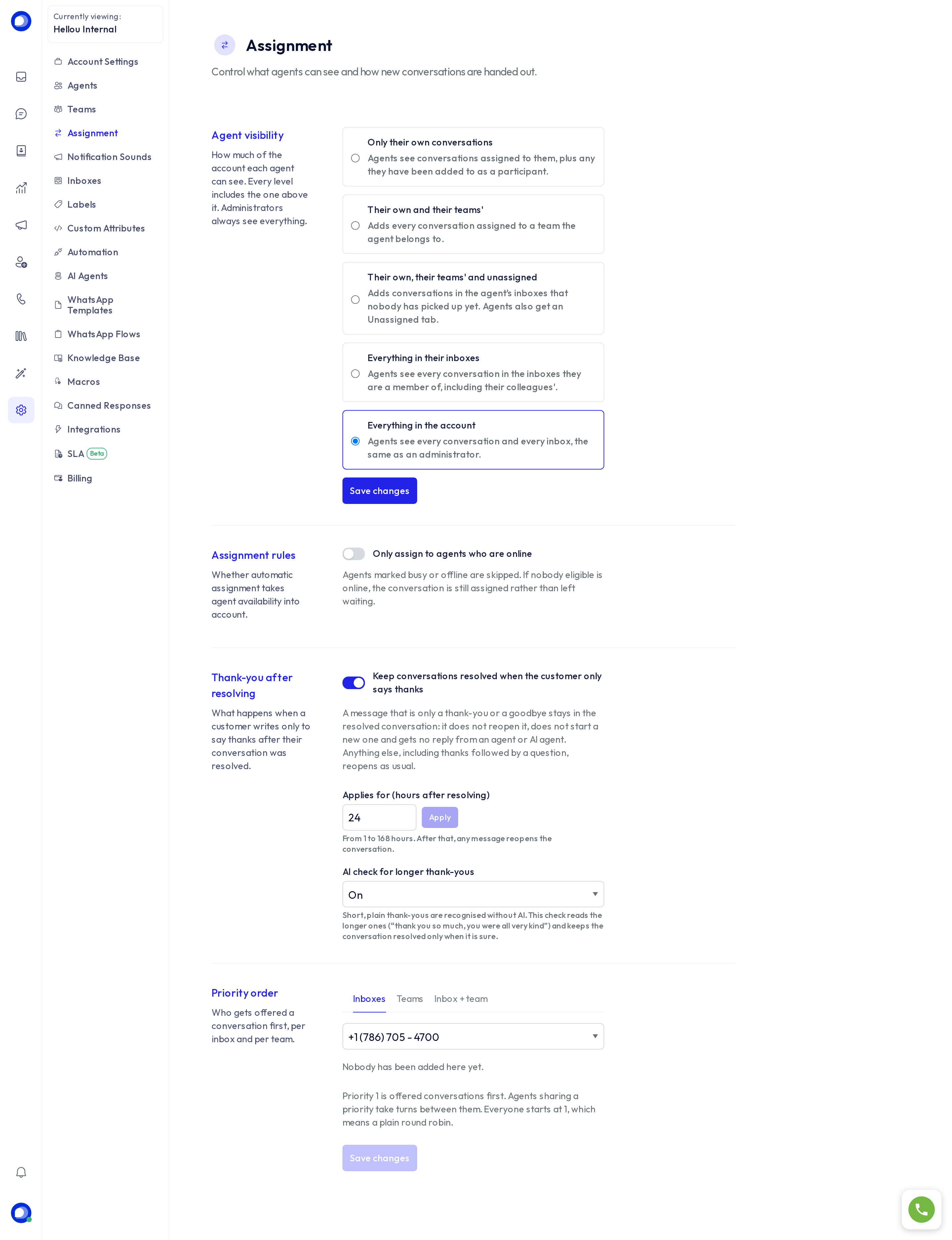
Agent visibility
Pick a level; each includes the one before it. Administrators always see everything.
| Level | What an agent sees |
|---|---|
| Only their own conversations | The ones assigned to them and those they take part in. |
| Their own and their teams' | Plus any conversation assigned to a team they belong to. |
| Their own, their teams' and unassigned | Plus conversations in their inboxes that nobody has picked up. The agent gains an Unassigned tab. |
| Everything in their inboxes | Every conversation in the inboxes they are a member of. |
| Everything in the account | Every conversation and inbox, like an administrator. |
Choose the lowest level that lets your team work. A small team usually prefers Everything in their inboxes; an operation with several teams and sensitive data, Their own and their teams'.
Press Save changes under the list.
Assignment rules
Only assign to agents who are online: automatic assignment skips anyone marked busy or offline. If nobody eligible is online, the conversation is still assigned to someone in the group rather than left waiting, so no conversation ends up ownerless.
Thank-you after resolving
When a customer writes only "thanks" or "done 🙏" after their conversation was resolved, the message stays in the resolved conversation: it does not reopen it, does not start a new one and gets no reply from anyone, AI agents included. Any other message, a thank-you followed by a question included, reopens as usual.
- Applies for: how many hours after resolving the rule holds, from 1 to 168. After that, any message reopens.
- AI check for longer thank-yous: short thank-yous are recognised on their own. With the check on, a model reads the longer ones ("thank you so much, you were all very kind") and keeps the conversation closed only when it is sure. Needs the AI classifications included in your plan.
Priority order
Decides who is offered a conversation first. Everyone starts at priority 1, which means taking turns. Give one person priority 1 and the rest priority 2, and that person receives everything while online; the others step in when they are not. For that hand-off to work, turn on Only assign to agents who are online; the page reminds you if you don't.
- Inboxes: each member's priority in an inbox.
- Teams: each member's priority within a team, on every inbox that team answers.
- Inbox + team: who leads a team on one specific inbox, without changing the team elsewhere. Useful when the same team is answered by different people depending on the channel.
Administrators are never auto-assigned, so they do not appear in these lists.